
All Products at a Glance
The Scan2Lead app, PORTAL, LEAD AUTOMATION, rental devices, and BARCODE-API work together seamlessly. A “tag” on each product immediately shows you which solution it can be used with.
At official partner trade shows
Regardless of the event, at any trade show

Scan2Lead App
At partner trade shows, you can use the SMART app to scan visitor badges directly from the organizer’s database. At any other trade show, you can use the 365 app to scan business cards with your smartphone – regardless of the organizer. Both apps run on the same device and can be used together.

Rental iPad (Scan2Lead App SMART)
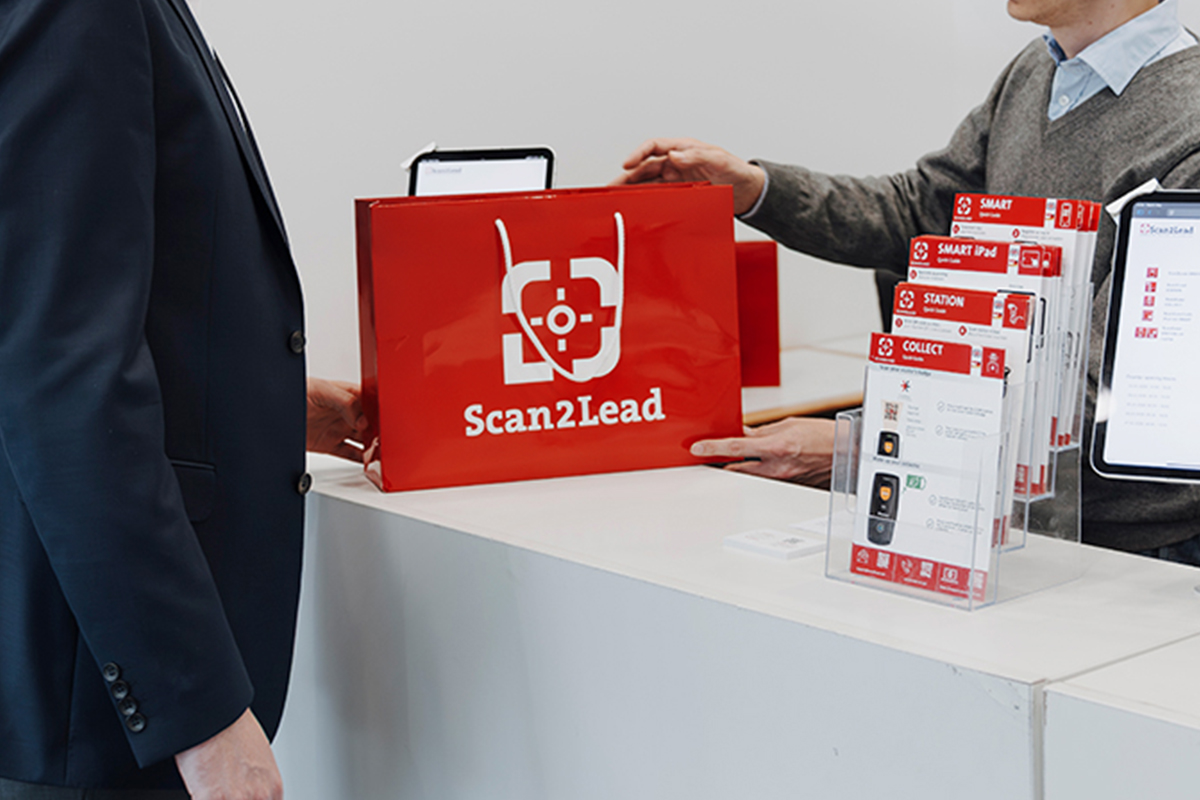
Don’t have your own device? The rental tablet comes with the Scan2Lead SMART app preinstalled – just pick it up at the service counter, turn it on, and start scanning your badge right away.

COLLECT
The mini handheld scanner for quick lead capture – no smartphone or laptop required. Scan the visitor badge, save the data, and you’re done. No internet connection is needed.

STATION
Lead capture at the central information desk or at the booth entrance. Your booth staff scan visitor badges using a handheld scanner connected to a laptop – the data appears immediately on the screen and can be qualified right away.

PORTAL
All leads in one central location – view, qualify, and evaluate them in real time. This way, your sales team can start following up even while the trade show is still in progress.

LEAD AUTOMATION
Your leads are automatically routed to where
your sales team works. The direct integration with Salesforce, HubSpot, and other platforms eliminates the need for any manual follow-up work.

BARCODE-API
Use the interface to access trade show visitor data directly and import it into your own software—for example, snapaddy customers who retrieve organizer data at partner trade shows.
Most common scenario: Access to partner trade show data. Can also be used for 365 at other trade shows via third-party providers.
Which product is right for you?
Tell us where and how you’re exhibiting—we’ll put together the right combination of the Scan2Lead app, PORTAL, LEAD AUTOMATION, and more. It’s free and there’s no obligation.
At a Glance
Which product for which solution?
There is no distinction between the partner trade show and the 365 World—every product is clearly labeled.
| PRODUCT | Partner trade show | 365 |
|---|---|---|
| Scan2Lead App |
|
|
| COLLECT |
|
|
| STATION |
|
|
| Rental iPad |
|
|
| PORTAL |
|
|
| LEAD AUTOMATION |
|
|
| BARCODE-API |
|
*
|
Partner trade show
365
✓ Available
✓* Contact us for availability
— Not available
Frequently Asked Questions
Frequently Asked Questions About Our Products
Would you like to know which product is right for your trade show booth or how the setup works? Here you’ll find answers to the most frequently asked questions about our products.

Any questions?
Personal consultation, free of charge
All three are designed for badge scanning at partner trade shows – but for different use cases:
– Scan2Lead App SMART: Badge scanning on your own smartphone – mobile and flexible for active engagement at the booth.
– COLLECT: A compact mini-scanner that operates entirely offline – ideal for entrances, promotional areas, and high-traffic locations without an internet connection.
– STATION: Scanner connected to a laptop with real-time display – for central information desk units and booth entrances, where staff can verify visitors’ credentials directly on the screen.
Yes. You can run as many devices as you like in parallel – for example, multiple smartphones with the Scan2Lead SMART app, multiple COLLECT mini-scanners, and a STATION all at the same time. All leads are consolidated in the same Scan2Lead PORTAL and are visible there in real time.
The rental iPad is fully preconfigured: Pick it up at the Scan2Lead service counter on the exhibition grounds, turn it on – and you can start scanning badges right away. Our team at the service counter will walk you through the app in just a few minutes and will be available to answer any questions you may have throughout the entire duration of the trade show.
LEAD AUTOMATION supports over 1,000 tool integrations—including HubSpot, Salesforce, Pipedrive, Microsoft Dynamics, Mailchimp, and many other CRM and marketing systems. Setup is done using a no-code approach, requiring no programming knowledge. Alternatively, an Excel export is available at any time.
The BARCODE-API is designed for companies that already use their own lead-tracking software or have a direct CRM connection and want to feed trade show visitor data directly into their existing system environment – without using the Scan2Lead app and PORTAL as their primary interface. Typical users: Companies with their own IT infrastructure or specialized lead management solutions.
Yes. COLLECT and the rental iPad are completely separate products. COLLECT is a standalone mini-scanner – you don’t need a rental iPad or any other Scan2Lead device to use it. The rental iPad is a preconfigured iPad with the Scan2Lead SMART app and works independently of COLLECT.