
Scan2Lead PORTAL
The heart of your Lead Management.
PORTAL is your central control center – before, during, and after the trade show. All leads from all Scan2Lead products are collected here, synchronized, and available at any time. Qualify, analyze, and export – from any device, anywhere.

What can you do in the PORTAL?
Your lead process – from preparation to CRM entry.

Before the trade show
Customize questionnaires, define required fields and interests, set up teams, and assign licenses to employees.

During the trade show
Track leads in real time, keep an eye on daily scans and team performance, identify bottlenecks, and respond immediately.

After the trade show
Qualify and prioritize leads, export them as an Excel file, or automatically transfer them to your CRM using LEAD AUTOMATION.

Note: For data protection reasons, leads collected at partner trade shows are automatically removed from the system after 8 weeks. Please ensure that you export them or transfer them to your CRM in a timely manner.

Core functions
Everything you need for professional Lead Management
PORTAL provides you with all the tools you need – from initial configuration to the finished CRM entry:
- Lead Management: All contacts in one place – search, filter, and group by rating, interest, or priority. Add notes and questionnaires later.
- Reports & dashboards: Live statistics – Scans per day, country breakdown, questionnaire reports, team performance
- Administration & setup: Configure questionnaires, lead quality rules, and signature fields. Team management and license administration.
- Export & Integration: Excel export available at any time. Fully automated CRM transfer via LEAD AUTOMATION.
Your benefits
From scan to sales success.

Centralized & cross-device
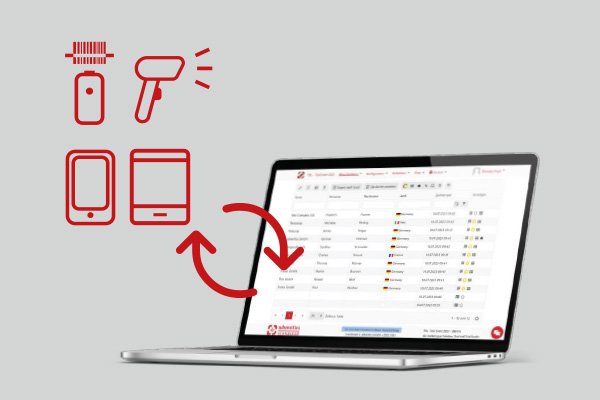
All leads from all devices – smartphones, iPads, mini scanners, and STATION – are collected in a central system. Accessible from anywhere.
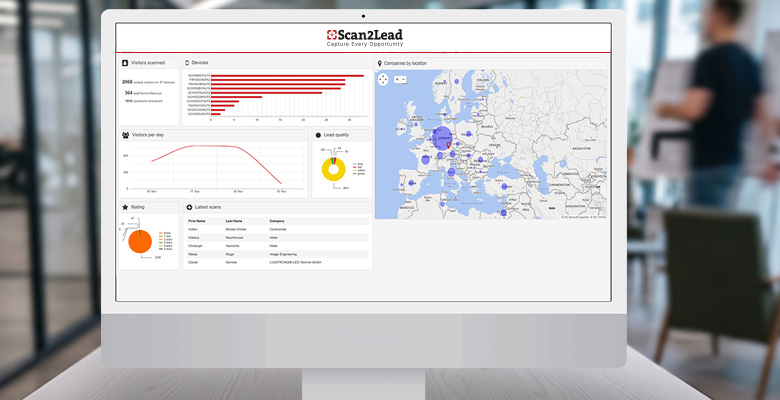
Live insights
Scans per day, activities per team member, country statistics – all in real time. Make data-driven decisions right during the trade show.
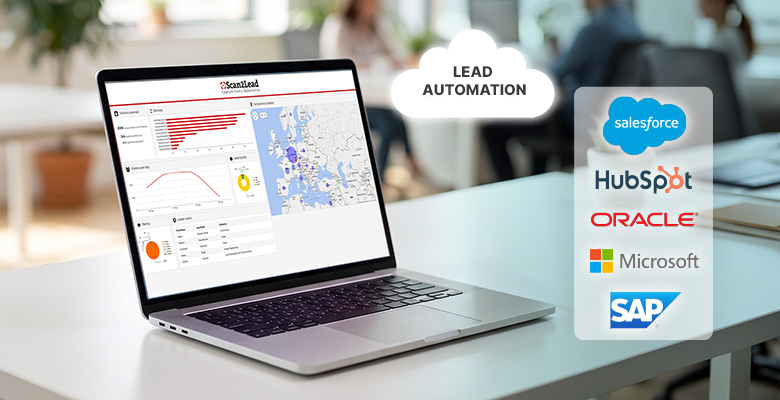
Seamless integration
With LEAD AUTOMATION, you can transfer leads fully automatically to over 1,000 CRM and marketing tools. Or export them manually via Excel.
How Scan2Lead works
Four phases to a seamless lead process.
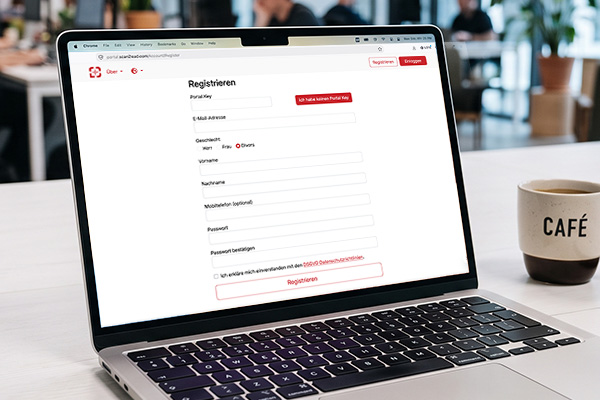
Activate PORTAL access, configure questionnaires, and assign teams and licenses.
Leads are scanned via the app, miniscanner, or STATION and automatically synced to the PORTAL.
Prioritize leads, add notes, and analyze questionnaires.

Export leads or transfer them fully automatically to HubSpot, Salesforce, Pipedrive, and more using LEAD AUTOMATION.
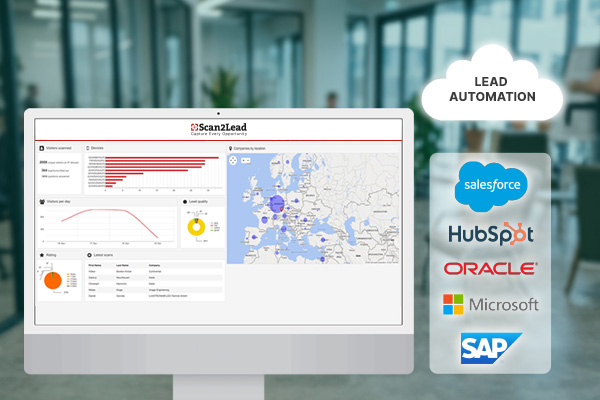
PORTAL is included with every Scan2Lead product.
When you purchase a Scan2Lead product, you automatically receive access to the PORTAL – including a lead overview, reports, CRM export, and team management.
Frequently Asked Questions
Frequently Asked Questions about the PORTAL
Do you have questions about setup, data security, or integration? You’ll find the most important answers here. Our team is happy to help.

Any questions?
Personal consultation, free of charge
No. PORTAL access is automatically included in all Scan2Lead products – whether it’s App SMART, App 365, COLLECT, or STATION.
There is no automatic deletion period for 365 leads. At partner trade shows, leads are automatically deleted after 8 weeks for data protection reasons. We recommend exporting leads in a timely manner or transferring them to the CRM via LEAD AUTOMATION.
Yes – for all app-based products (App SMART, App 365), synchronization occurs in real time as soon as an internet connection is established. With COLLECT, a manual upload is required after scanning. STATION also transfers data in real time.
Yes. In PORTAL, you can freely configure questionnaires – required fields, industries, interests, lead quality rules, and signature fields can all be customized. The questionnaires are then available to all team members in the app.
The PORTAL supports multiple concurrent users. Licenses and access rights are managed centrally in the PORTAL – you decide who has which role.
LEAD AUTOMATION allows you to integrate more than 1,000 CRM and marketing tools—including HubSpot, Salesforce, and Pipedrive. Setup is done using a no-code approach via Make. Alternatively, an Excel export is available at any time.
More options
Other Scan2Lead products

LEAD AUTOMATION
Fully automated lead transfer to your CRM – no manual export, no programming required.

COLLECT
Quick badge scanning with a mini scanner – all leads are automatically added to the PORTAL.

Scan2Lead App 365
Scan business cards at any trade show – regardless of the organizer – and upload them directly to the PORTAL.